Back-face culling
Skip rendering triangles that face away from the camera — you’d never see their front anyway. Cuts the work roughly in half for closed meshes.
Two ways to test it
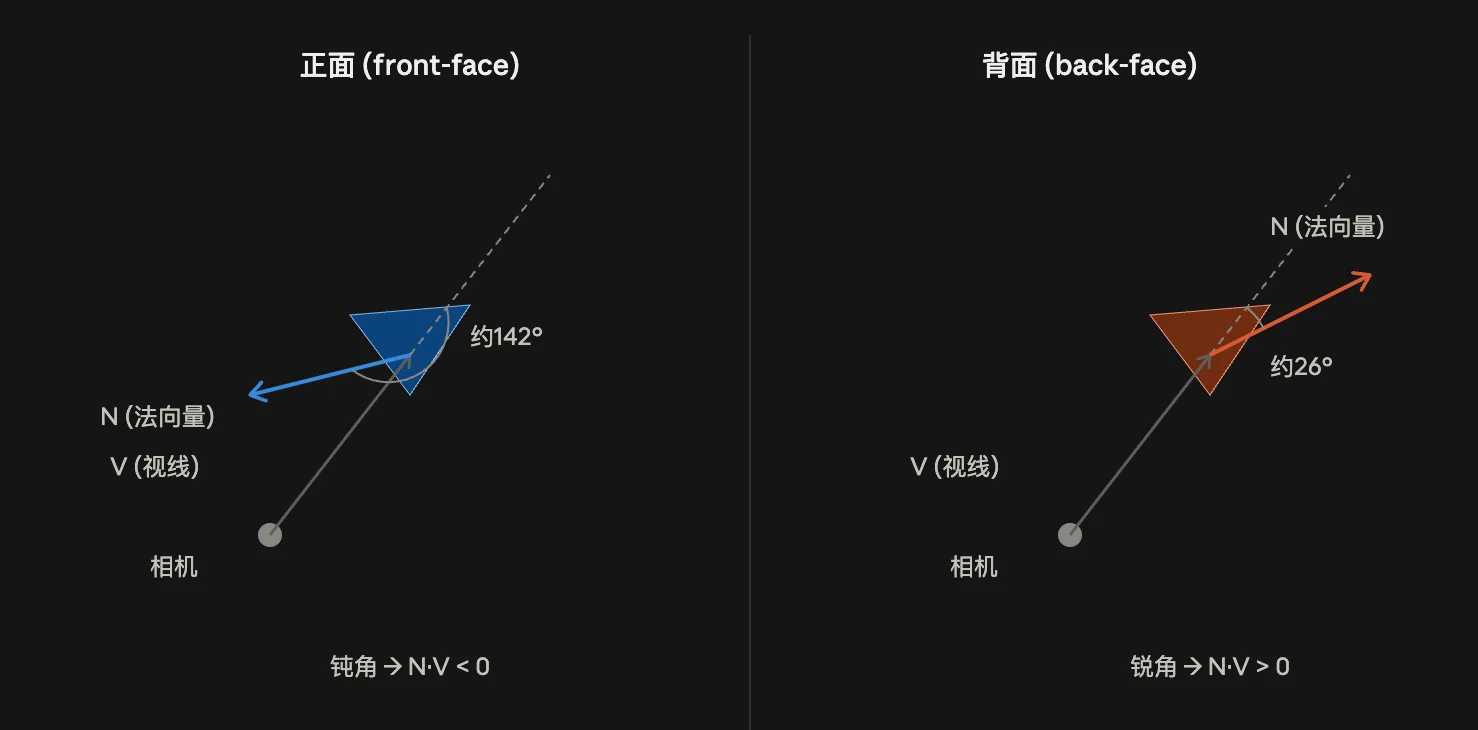
1. Dot product method (needs the surface normal):
N = triangle normal
V = vector from camera to the surface point
backFace = dot(N, V) > 0   // normal points same general direction as view = facing away
See Dot product for why the sign works this way.
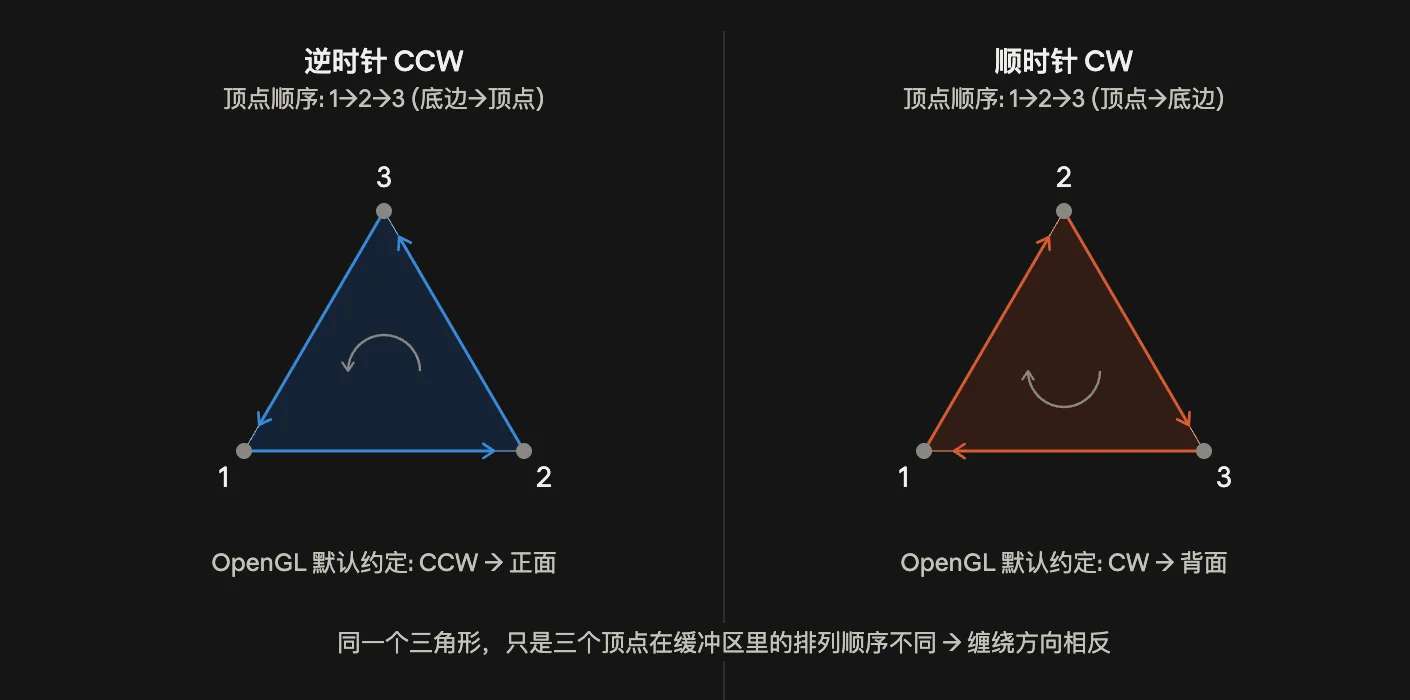
2. Winding order method (needs nothing but the projected 2D vertex positions, no normal required):
e1 = B - A, e2 = C - A   (screen-space, after projection)
cross_z = e1.x*e2.y - e1.y*e2.x
CCW (cross_z > 0) -> front face   (or CW, depending on your engine's convention)
See Cross product for the z-component/CCW derivation. This is what GPUs actually use during rasterization — it’s cheaper than the dot product method since it doesn’t need a normal to be computed or stored, just uses the projected vertex order that’s already available.
Code
glEnable(GL_CULL_FACE);
glCullFace(GL_BACK);
glFrontFace(GL_CCW);  // tells the GPU which winding order counts as "front"
Gotchas
- The CCW=front convention assumes a specific coordinate handedness. Screen/window coordinates are often y-down, which flips the sign relative to math (y-up) coordinates — don’t assume the sign, verify it on your actual pipeline.
- If a model’s normals or triangle winding get flipped on import/export (common when mirroring or flipping an axis), everything culls backwards — front faces disappear, back faces show through. Classic “why is my mesh invisible/inside-out” bug.
- Culling assumes a closed, consistently-wound mesh. Open geometry (planes, cloth, foliage cards) needs culling disabled or the mesh made double-sided, otherwise it vanishes from one side.