Made with Nelson Lou (artist/designer) · Liam (music) · Yogi (tech support)
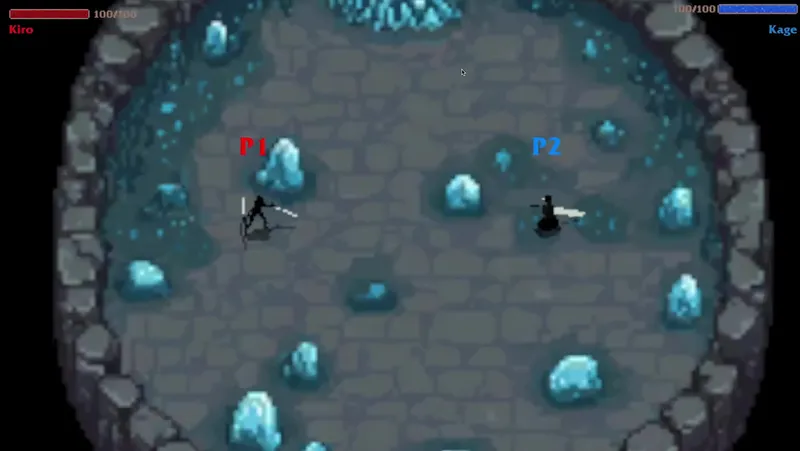
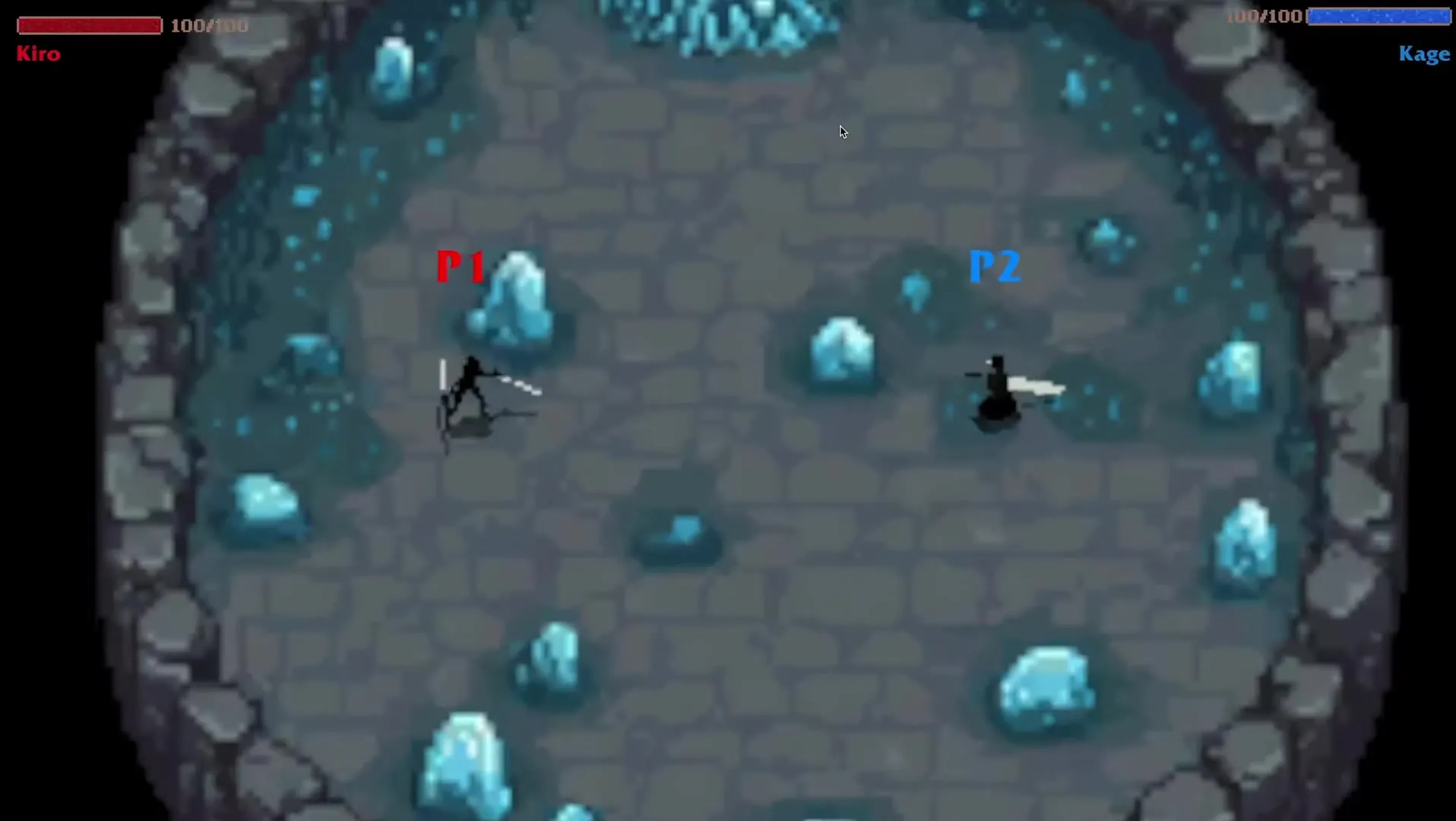
I’m a huge fighting game fan (UFC, Mortal Kombat), and there aren’t many 2D ones you can play on the couch with a friend. So we made Slash Bash, a local 1v1 fighter with nine characters, three interactive arenas, and skills you pull off with short button combos.
It was a USC Games × Berklee project. Nelson and I built the game, Liam from Berklee made the music, and my friend Yogi helped us through some core problems. I did most of the engineering and designed the combat, so if a character feels broken, you know who to blame lol.
It’s out on itch for Windows and Mac.
Skills are just data
We kept changing the damage, the range, the timing of hits, and sometimes a whole move. That’s 36 moves across nine characters, and every time the team came up with a new number, I didn’t want to go back into the code for it. So I turned every skill into data.
Each character has a RoleConfig, which is a ScriptableObject with one entry per animation. An entry has the skill name, the combo, and a list of what I called “bullets.” A bullet isn’t really a projectile, it’s just a hitbox plus a few settings.
[System.Serializable]
public class BulletConfig
{
    [Range(-1, 14)]
    public int spawnFrameIndex;      // which animation frame it shows up on
    public Vector2 bulletPosition;   // offset, relative to where the character faces
    public float lifeTime = 1.0f;
    public BulletSelectType selectType;  // Sphere or Sector
    public float radius = 1.0f;
    public float sectorAngle = 0f;
    public float damage = 1;
    public bool isMove = false;
    public float moveSpeed = 1.0f;
}
When an attack plays, each bullet spawns on the frame it’s set to, facing the same direction as the character. So if the sword comes down on frame 8 in the art, I put the hitbox on frame 8 too, and you only get hit when it actually looks like you got hit.
The bullet itself is invisible. Every frame it looks for players inside its circle with OverlapCircleAll (sectors also check the angle), and it keeps track of who it already hit so nobody gets hit twice by the same swing. The visuals live in a separate fxs list in the same entry. Tyr’s Knife Throwing, for example, is an invisible hitbox and an arrow effect flying side by side at the same speed. The whole game only has one bullet prefab, and it’s an empty GameObject with the Bullet script on it.
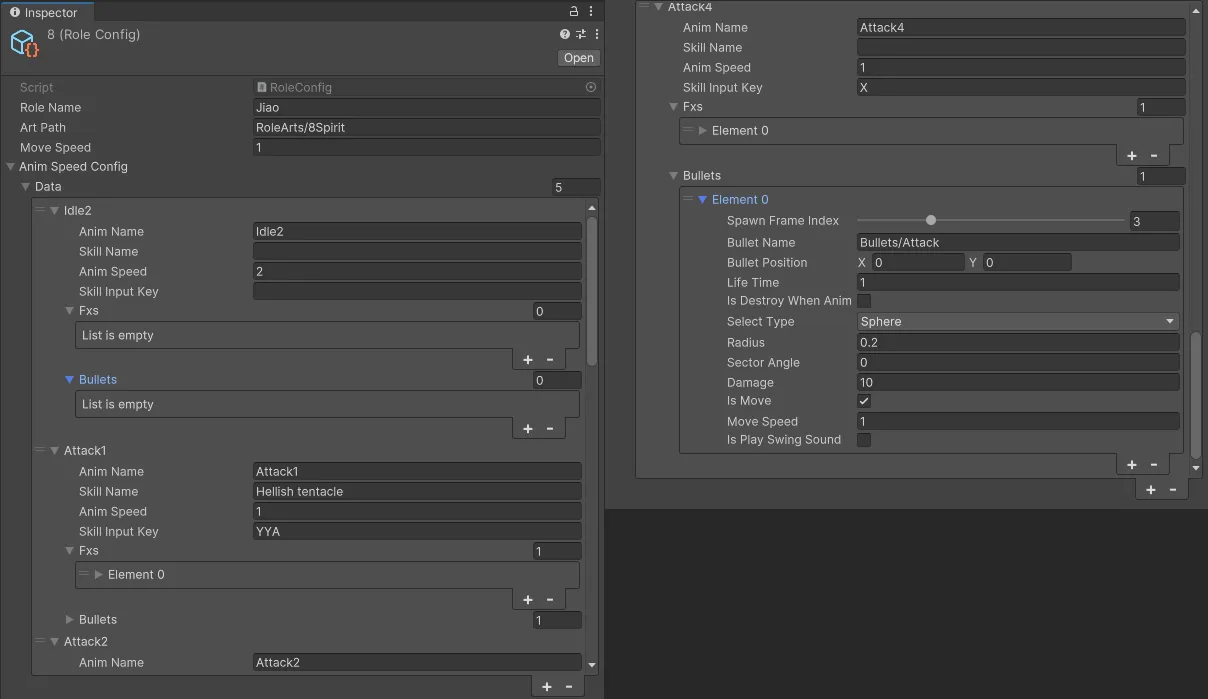
The art is set up the same way. Each character runs a small state machine, built on YogiGameCore, a utility library Yogi shared with me. Every state loads its sprite sheet by its own class name, so the Attack2 state just loads RoleArts/<character>/Attack2. I didn’t use Unity’s Animator at all, and adding a move only takes a new sheet and a new config entry. Both players also use the same character prefab, and it only turns into Kiro or Ruun once the fight starts and it loads that character’s config.
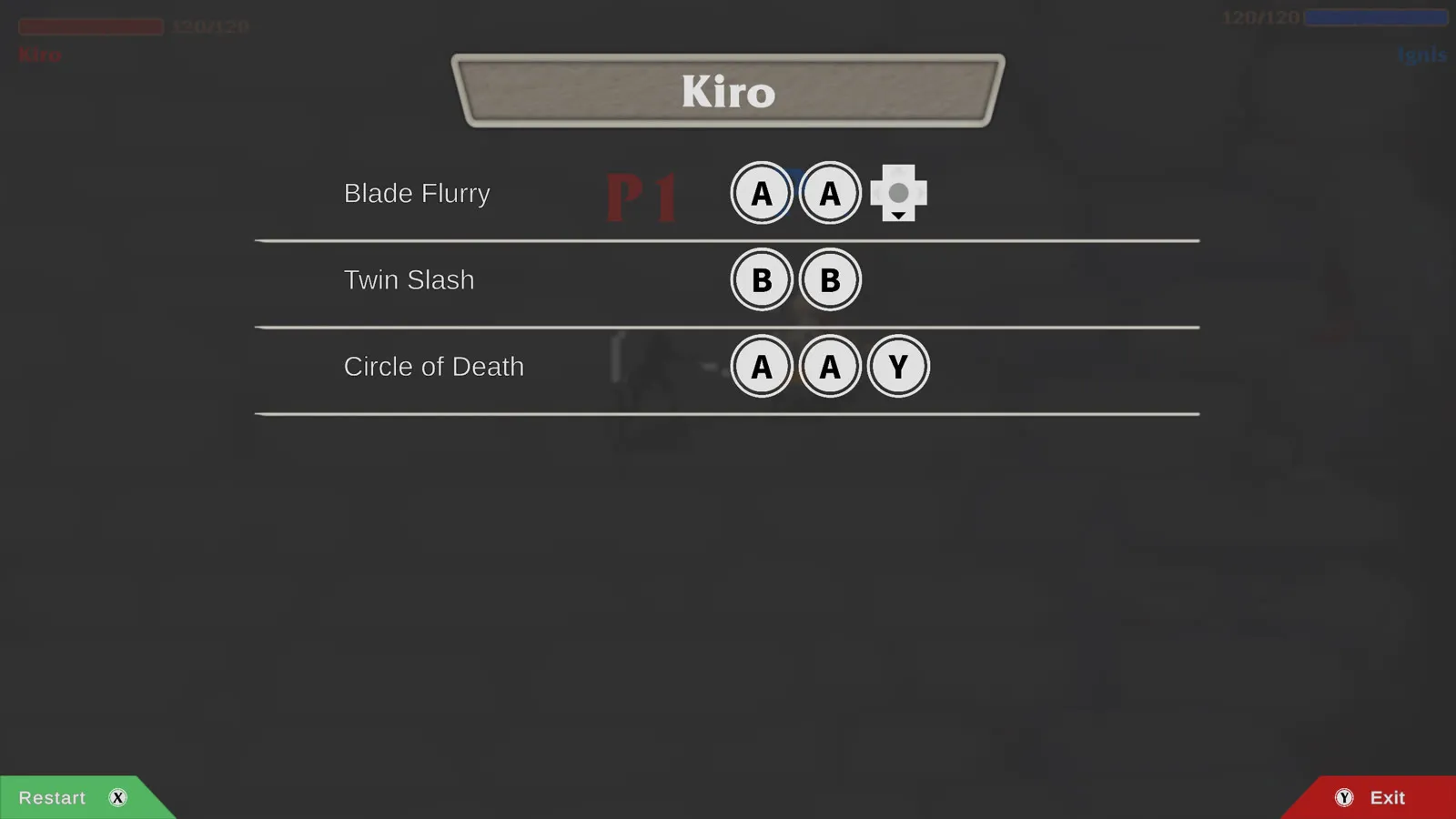
The pause menu reads the same config, too. It takes combo strings like "BBA" and shows them as button icons, so whenever we changed a combo, I didn’t have to touch the pause menu.
From controller to combo
Each controller gets its own PlayerInput, and my InputController turns every button press into a symbol. X, Y, A and B become 'X' 'Y' 'A' 'B', and the right stick becomes arrows. The stick needed one extra check, because holding it keeps sending the same direction, and the game would read that as →→→→. So it only sends a direction when the direction changes.
if (inputDirection != prevInputDirection)
{
    if (inputDirection != '_')
        currentControlRole.InputSkillOrder(inputDirection);
    prevInputDirection = inputDirection;
}
Every skill is a string, like "BBA" for Kage’s Phantom Smash, and each one has its own little matcher that remembers how far along you are. If your next button matches, it moves forward, and if it doesn’t, it starts over. It also starts over if you wait more than 0.5 seconds between presses. That number mattered more than I expected, because a shorter window makes every combo harder to pull off.
// Called once per button press, for every skill the character has
public bool HandleInput(char inputChar)
{
    // Is this the button this skill expects next?
    if (inputChar == skillStr[currentMatchIndex])
    {
        currentMatchIndex++;   // move one step forward
        timer = 0;             // restart the 0.5s window

        // Matched the whole string: cast the skill and reset
        if (currentMatchIndex >= skillStr.Length)
        {
            OnCastSkillSuccess?.Invoke();
            currentMatchIndex = 0;
            return true;       // tells the controller to stop checking other skills
        }
        return false;
    }

    Clear();   // wrong button: back to the start
    return false;
}
Here’s every combo in the game. X is the basic attack, and ×2 means the skill hits twice.
| Character | X | Skill 1 | Skill 2 | Skill 3 |
|---|---|---|---|---|
| Kage | 10 | Blade Strike AA 20 | Phantom Smash BBA 18×2 | Shadow Tempest →BB 35×2 |
| Sylva | 20 | Vine Lash YY 25 | Thorn Aim BAA 35 | Nature’s Wrath A→→ 55 |
| Ignis | 10 | Molten Cleave AA 20 | Flame Slash YYB 30 | God Cataclysm BB↓ 50 |
| Shade | 20 | Quick Shoot AA 15+5 | Shadow Trap YBB 30 | Death’s Cross ↑↑↓ 50 |
| Ruun | 10 | Storm Shock BB 35 | Lightning Field AAB 35 | Tornado Overload YBY 50 |
| Tyr | 20 | Knife Throwing →→ 25 | Avalanche Strike B← 30 | Piercing Chaos B→→ 40 |
| Kiro | 20 | Twin Slash BB 25 | Circle of Death AAY 35 | Blade Flurry AA↓ 35×2 |
| Jiao | 10 | Soul Swipe BB 30 | Eternal Inferno YBA 30 | Hellish Tentacle YYA 35 |
| Garrick | 20 | Shield Bash ←← 30 | Titan’s Smash A↓ 30 | Unyielding Rampage ABY 50 |
I also wrote NUnit tests for the matcher. One of them has two skills where one is the start of the other, "ABC↑" and "ABC↑↑", and that case doesn’t work. Once "ABC↑" fires, the loop stops, so "ABC↑↑" never sees that last ↑. None of the characters ended up with combos like that, so it never happens in a real match.
Iteration
After one playtest, the biggest complaint was that once you got hit, you were pretty much dead. The other player could chain attacks faster than you could get your block up, so you just got cut down one hit at a time. Some of the big area attacks also hit way too hard and could be spammed. On top of that, we wanted each fight to last around 40 seconds to a minute.
To check whether our changes were working, the end screen shows the match time, how many times each player got hit, how many times they tried to block, and how many of those blocks worked. Those last two together give you a block success rate.
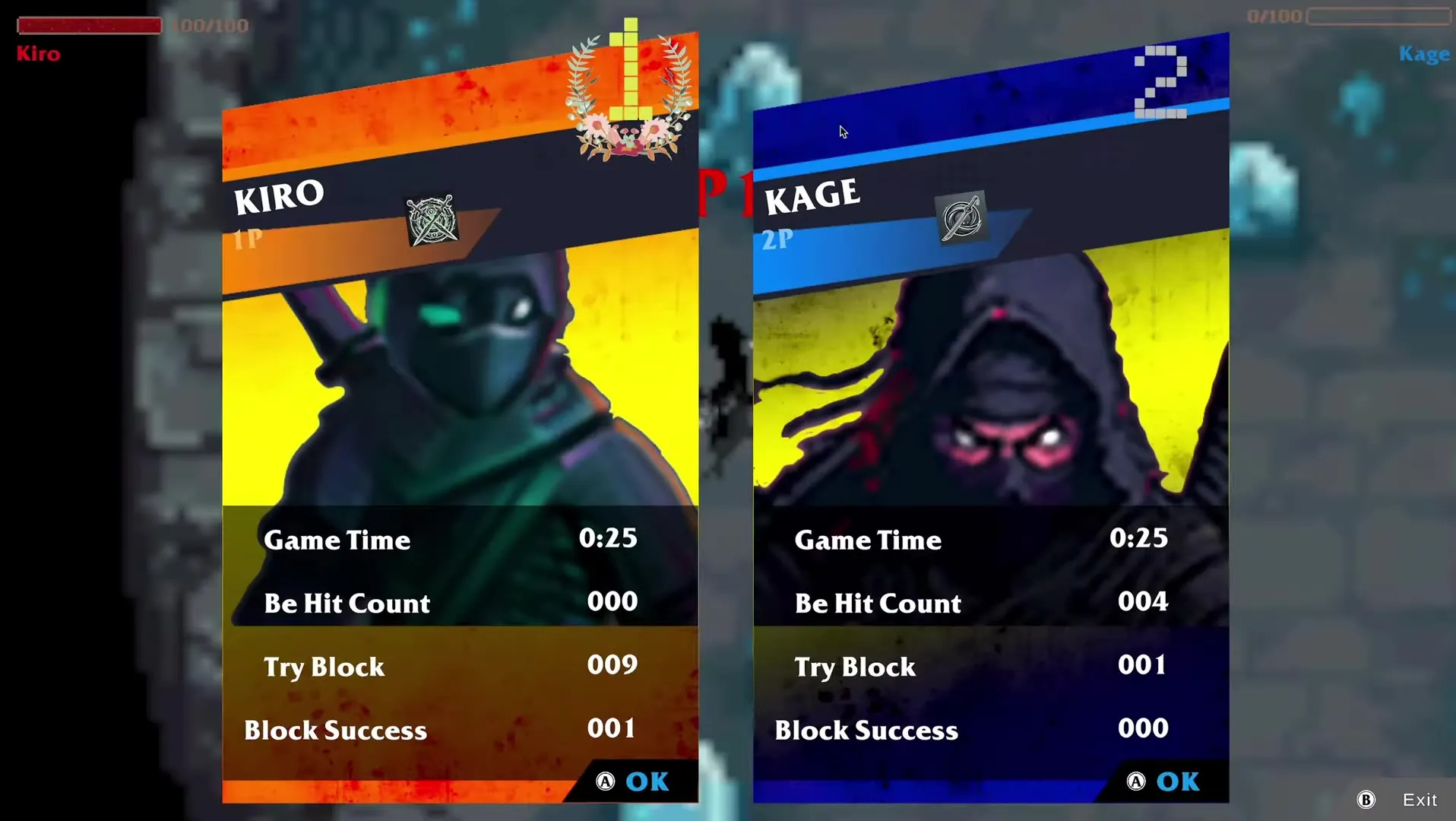
The stats code doesn’t touch the fighting code. A character just fires an event when it gets hit, starts a block, blocks something or dies, and BattleManager listens for those.
role.OnBeHit += () => info.beHitCount++;
role.OnTryBlock += () => info.tryToBlockCount++;
role.OnBlockSuccess += () => info.blockSuccessCount++;
role.OnDie += () => info.isWinner = false;
Then we rebalanced. Skills went from single buttons to combos, which already makes them harder to spam. A blocked hit still does 3 damage now, HP went from 100 to 120, and all nine characters got new damage numbers. Since the skills were data, all of that was edits to nine asset files, and I didn’t have to change any code.
We also noticed people don’t look at the health bars in the middle of a fight, so now when you block, “Block” pops up over your character and you get an outline.
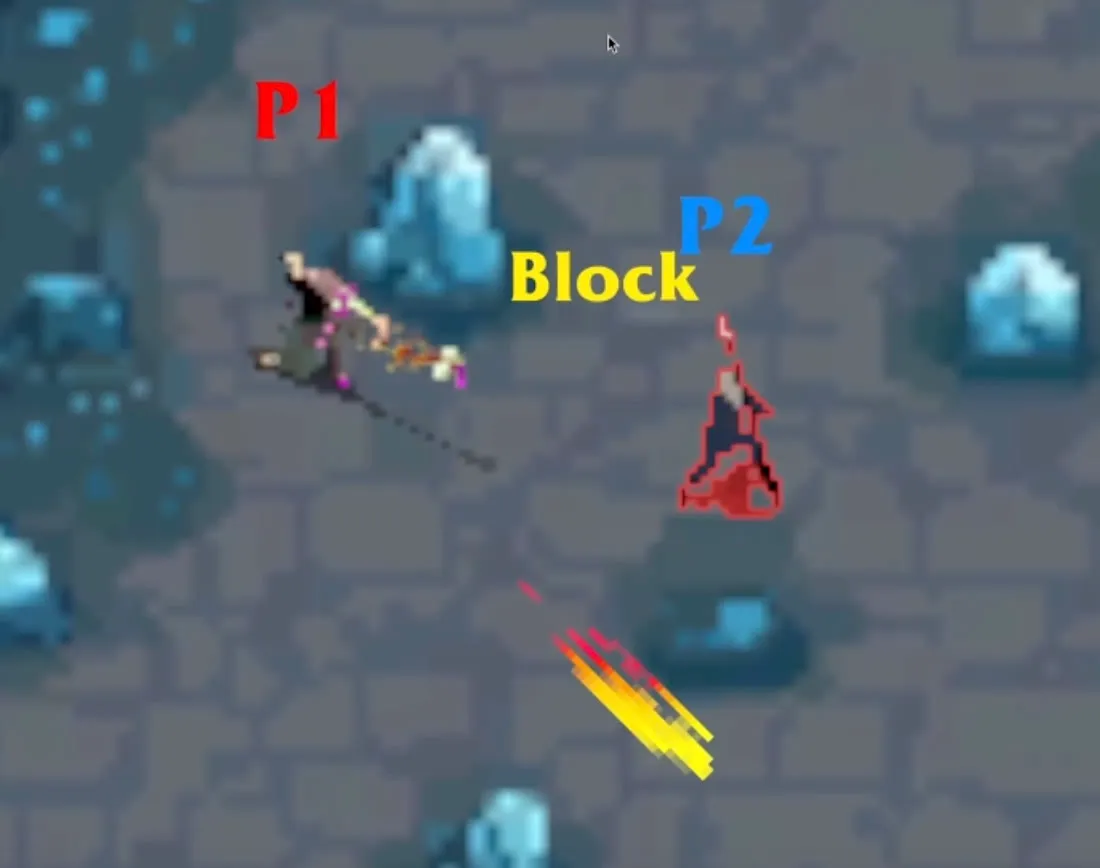
Players also said the characters looked tiny on a 2K screen, so the camera zooms in when the two players get close.
A scene just for checking art
I also made a debug scene just for myself. It plays every character in every animation at the same time, 9 rows by 8 columns. Whenever I swapped art or edited a config, I could open it and see right away if a sheet was missing frames or facing the wrong way.
Other highlights
The fire arena has six burning traps. When you step on one, you get a BurningBuff component that does 5 damage right away and then 5 more every second for 2 seconds. If you step back in while you’re still burning, it just resets the timer instead of adding a second buff.
private void OnTriggerEnter2D(Collider2D collision)
{
    if (collision.TryGetComponent<Role>(out var role))
    {
        if (role.TryGetComponent<BurningBuff>(out var buff))
            buff.ResetLifeTimer();
        else
            role.AddComponent<BurningBuff>();
    }
}The crystals in the ice arena are on the Block layer. Movement does a raycast against that layer before every step, so you can’t walk through them.
When someone dies, the camera lowers the loser’s weight in the target group down to zero, so it slowly moves in on the winner before the end screen shows up.
while (animTime > 0)
{
    animTime -= Time.fixedDeltaTime;
    for (int i = 0; i < group.m_Targets.Length; i++)
    {
        if (i == index)
            continue;
        CinemachineTargetGroup.Target target = group.m_Targets[i];
        target.weight -= Time.deltaTime;
        group.m_Targets[i] = target;
    }
    await UniTask.Yield(PlayerLoopTiming.FixedUpdate);
}