Special thanks to Professor Sanjay Madhav
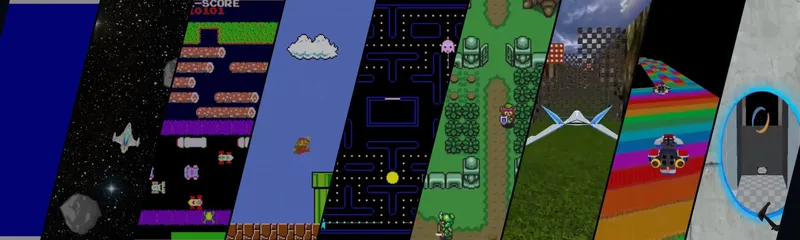
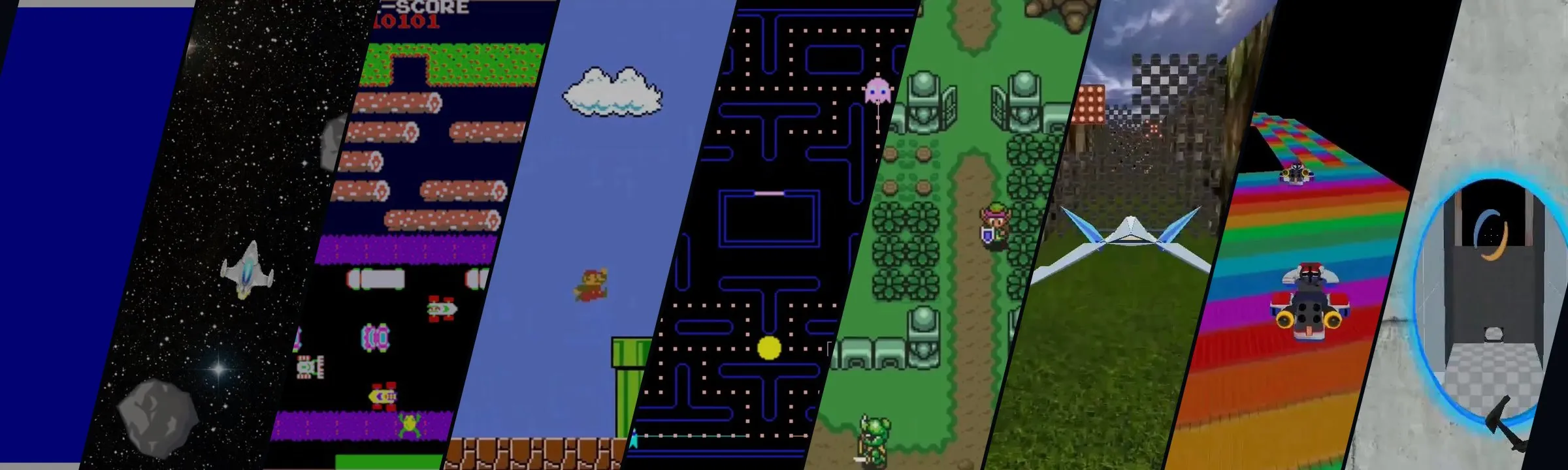
This project is the USC’s TAC 380 class project. It contains 9 different remake clips of some classic games. I put everything here so people can directly play it if interested.
One template for every game
All nine games run on the same little engine, and it gets a bit bigger with every game. SDL2 does the window, the input and the 2D drawing, and later an OpenGL renderer for the 3D ones. The key structure is classic Actor-Component system.
An actor is any object in the game world, like the ship, a laser or an asteroid. By itself it only has a position, a rotation and a scale, and that’s it. Everything it can do comes from its components. A SpriteComponent draws it, a MoveComponent moves it, a CollisionComponent gives it a hitbox. So the ship in Asteroids is just an actor with a sprite and a move component.
Every frame the game updates all the actors. Each actor updates its components first, then runs its own OnUpdate. You can still make a subclass of Actor when something needs its own logic, so it’s kind of a mix of both.
void Actor::Update(float deltaTime)
{
	if (mState == ActorState::Active)
	{
		for (auto* component : mComponents)
		{
			component->Update(deltaTime);
		}
		OnUpdate(deltaTime);
	}
}
To get a component back, I just loop over the list and dynamic_cast each one. That’s not the fastest, but an actor here has like three or four components, so it really doesn’t matter.
template <typename T>
T* GetComponent() const
{
	for (auto c : mComponents)
	{
		T* t = dynamic_cast<T*>(c);
		if (t != nullptr)
		{
			return t;
		}
	}
	return nullptr;
}
This is why the later games went way faster. In Mario, the Goomba walks with GoombaMove, which is just a MoveComponent subclass. And by Portal, the player, the turrets and the energy pellets are all actors made from the same pieces.
Collision: push out along the smallest overlap
In Frogger and Mario, things can’t sink into each other. All the hitboxes are axis-aligned boxes, and when two of them overlap, GetMinOverlap figures out which side you overlap the least, and how far you need to move back so the two boxes are just touching.
It gets four distances, one for each side, always the other box’s edge minus yours. Whichever one is the smallest wins. That gives you the side, and an offset that only moves you along one axis. Simply just AABB overlapping test
It’s the same per-axis interval idea you see in rasterization.
float leftDist = other->GetMin().x - GetMax().x;
float rightDist = other->GetMax().x - GetMin().x;
float topDist = other->GetMin().y - GetMax().y;
float bottomDist = other->GetMax().y - GetMin().y;
// The smallest of the four (by absolute value) picks the side and the offset
For every block Mario touches, push him out by the offset first, then check which side it was. Top means he landed, so he’s on the ground and can jump again. Bottom while he’s going up means he hit his head. Left or right means he ran into a wall, so he stops.
CollSide side = playerCollision->GetMinOverlap(blockCollision, offset);
if (side != CollSide::None)
{
	playerPosition += offset;
	mOwner->SetPosition(playerPosition);

	if (side == CollSide::Top)
	{
		mYSpeed = 0.0f;
		mInAir = false;
	}
	else if (side == CollSide::Bottom && mYSpeed < 0.0f)
	{
		mYSpeed = 0.0f;
		Mix_PlayChannel(-1, mGame->GetSound("Assets/Sounds/Bump.wav"), 0);
	}
	else if (side == CollSide::Left || side == CollSide::Right)
	{
		mForwardSpeed = 0.0f;
	}
}
Goombas use the same check. If you land on one from the top, you stomp it. I also count it as a stomp if you hit its side while you’re still in the air, which is a little nicer than the real game.
Pac-Man: no path finding
In pac-man, the ghosts don’t actually do path finding. The maze is a graph of path nodes, and at every node a ghost just goes to the neighbor closest to its target in a straight line, no turning around. Greedy and kinda dumb, arcade game huh.
What makes each ghost different is its target. They switch between scatter and chase. In chase, Blinky goes for where Pac-Man was, Pinky aims 80 pixels ahead to cut you off, and Clyde chases until he’s within 150 pixels, then gets scared and runs home lol. Inky is the weird, take the point 40 pixels ahead of Pac-Man and doubles the line from Blinky to it.
Vector2 pointP = mGhost->GetGame()->GetPlayer()->GetPointInFrontOf(INKY_DIS);
Vector2 blinkyPos = ghosts[0]->GetPosition();
Vector2 v = pointP - blinkyPos;
Vector2 pointQ = 2.0f * v + blinkyPos;
mTargetNode = FindClosestDefaultNode(pointQ);
Eat a power pellet make all of them get frightened and just wander randomly. In the clip, the little squares are each ghost’s target (press 1 in the game to toggle them).
AudioSystem was built in Pac-Man, and every game after uses it. When all of SDL_Mixer’s channels are busy and a new sound comes in, it cuts the oldest sound that isn’t looping, so the background music pretty much never gets cut.
Zelda: A*
Each soldier in Zelda patrols between two cells from the level file. A PathFinder turns the tile map into a grid of nodes, and each node knows which neighbors you can walk to. When a soldier gets to the end of its path, it asks for a new path back to where it started, it returns and just walks back and forth forever.
The search is normal A*, where low-level algorithm class came in. Every node gets f = g + h. g is how far you’ve walked, and h is the straight-line distance to the goal. Every step, I take the open node with the lowest f, close it, and update any neighbor I found a shorter way to. The open set is a plain std::vector, kinda cost for searching the whole list. In bigger map, maybe use heap instead.
for (PathNode* adj : lowestFNode->mAdjacent)
{
	auto neighborIt = nodeInfoMap.find(adj);
	if (neighborIt != nodeInfoMap.end() && neighborIt->second.mIsClosed)
	{
		continue;
	}
	float tentativeG = nodeInfoMap[lowestFNode].mG +
					   Vector2::Distance(adj->GetPosition(), lowestFNode->GetPosition());
	if (nodeInfoMap.find(adj) == nodeInfoMap.end() || tentativeG < nodeInfoMap[adj].mG)
	{
		nodeInfoMap[adj].mParent = lowestFNode;
		nodeInfoMap[adj].mG = tentativeG;
		nodeInfoMap[adj].mH = Vector2::Distance(end->GetPosition(), adj->GetPosition());
		nodeInfoMap[adj].mF = nodeInfoMap[adj].mG + nodeInfoMap[adj].mH;
		if (std::find(openset.begin(), openset.end(), adj) == openset.end())
		{
			openset.push_back(adj);
		}
	}
}
All the info for each node (parent, g, h, f, closed or not) is in an unordered_map inside the function, so one search never messes with the next one. When it reaches the goal, it follows the parents back to the start.
3D: Star Fox and Mario Kart
Star Fox is the first 3D one, with OpenGL. You fly down a canyon that never ends. The ship always moves faster and faster and you can shoot the blocks, which spawn in front of you and get deleted once far behind you. Q does a barrel roll, which also gives you back one shield.
The fun one is the exploding blocks, because they chain. When one blows up, it destroys every block within 50 units, and if one of those is also an exploding block, it calls TriggerExplosion on that one too. So it’s just recursion. The mHasExploded flag stops two blocks from setting each other off forever, and the explosion sound only plays once per frame.
void Block::TriggerExplosion()
{
	if (mHasExploded)
	{
		return;
	}
	mHasExploded = true;
	SetState(ActorState::Destroy);

	for (Block* block : GetGame()->GetBlocks())
	{
		if (block == this)
			continue;

		float distance = (block->GetPosition() - GetPosition()).Length();
		if (distance <= explosionRadius)
		{
			if (block->GetExplodCheck())
			{
				block->TriggerExplosion();
			}
			else
			{
				block->SetState(ActorState::Destroy);
			}
		}
	}
}Mario Kart is where physics comes in, by holding the gas, it builds up speed over time, drag slows you down, and if you let go you kind of coast. Turning works the same way. The track comes from a height map CSV, so the kart rides up and down the ramps.
if (mIsPedalPress)
{
	mAccDuration += deltaTime;
	float t = Math::Min(mAccDuration / mAccRampTime, 1.0f);
	float accMagnitude = Math::Lerp(MIN_LIN_ACC, MAX_LIN_ACC, t);
	mVelocity += mOwner->GetForward() * accMagnitude * deltaTime;
}
Looking back, the drag doesn’t use delta time, so at 120 fps the kart would slow down twice as fast. Better write pow(drag, deltaTime * 60.0f).
The AI kart was my favorite part. EnemyMove is a subclass of VehicleMove, so the AI uses the exact same physics as you, and it only gets the same two inputs you have, gas and steering. So no cheating.
Every frame, it looks at the next node on a path around the track. The dot product forward and the direction to that node tells it if it’s facing the right way, which decides the gas. The cross product’s z tells it if the node is on the left or the right.
Vector3 directionToNext = Vector3::Normalize(nodePostition - enemyPosition);
Vector3 enemyForward = mOwner->GetForward();
float dotProduct = Vector3::Dot(directionToNext, enemyForward);

SetPedal(dotProduct > FORWARD_THRESHOLD);

if (dotProduct < ALIGNMENT_THRESHOLD)
{
	Vector3 crossProduct = Vector3::Cross(directionToNext, enemyForward);
	SetTurn(crossProduct.z > 0.0f ? VehicleTurn::Left : VehicleTurn::Right);
}
else
{
	SetTurn(VehicleTurn::None);
}Portal
Portal is a small version of the real game, with portals, energy puzzles, turrets, and of course GLaDOS.
Placing a portal
Shooting a portal starts with a ray. I unproject the center of the screen to get a line from the camera into the world, then cast it against everything. The portal then gets rotated from its default facing (+X) to the wall’s normal. The rotation axis is the cross product of the two, and the angle is the arccos of the dot product. The two cases where the cross product is 0 (same direction or exactly opposite) get handled separately.
float dotProduct = Vector3::Dot(originalFacing, desiredFacing);
if (Math::NearlyEqual(dotProduct, 1.0f))
{
	newPortal->SetQuat(Quaternion::Identity);
}
else if (Math::NearlyEqual(dotProduct, -1.0f))
{
	newPortal->SetQuat(Quaternion(Vector3::UnitZ, Math::Pi));
}
else
{
	Vector3 rotationAxis = Vector3::Cross(originalFacing, desiredFacing);
	rotationAxis.Normalize();
	newPortal->SetQuat(Quaternion(rotationAxis, Math::Acos(dotProduct)));
}
One function, four uses
The most important function in the whole game is GetPortalOutVector. You give it something in world space, a position or a direction, and it tells you where that ends up on the other side. First it moves the vector into the entry portal’s local space with the inverse of its world transform. Then it spins it 180 degrees around the up axis. At last it goes back to world space with the exit portal’s transform. w = 1 is for a point and w = 0 is for a direction, so directions don’t get moved by the translation part (the usual homogeneous coordinates trick).
Vector3 Portal::GetPortalOutVector(const Vector3& initialVector, Portal* exitPortal, float w)
{
	Matrix4 inverseWT = GetWorldTransform();
	inverseWT.Invert();
	Vector3 transformedVector = Vector3::Transform(initialVector, inverseWT, w);
	Matrix4 yawMatrix = Matrix4::CreateRotationZ(Math::Pi);
	Vector3 flipVector = Vector3::Transform(transformedVector, yawMatrix, w);
	Vector3 exitVector = Vector3::Transform(flipVector, exitPortal->GetWorldTransform(), w);

	return exitVector;
}
I use this one function in four places.
Teleporting. When you walk into a portal, it moves your position and your velocity to the other side. Your speed also gets multiplied by 1.5, and it’s at least 350, so you can fling yourself out of portals like in the real game. Normally your speed is capped at 400, but that cap gets skipped while you’re falling out of a portal, otherwise the fling would get cut right back down. Portals on the floor or the ceiling are special, because spinning around the up axis doesn’t make sense there, so those just shoot you out in the direction the exit portal is facing.
Portal View. Another camera, and its position and direction are just the player’s camera put through the same function.
Lasers. When a laser hits a portal, the hit point and direction go through it, and the laser keeps going out of the other portal.
Energy pellets. Same thing as the player, they fly into one portal and out of the other. The puzzles are just a few rules stacked together: a pellet turns green when it touches an energy cube, only green pellets can pass through energy glass, and a pellet that lands in a catcher opens the door.
Turrets
A turret doesn’t have any code for “seeing” you. It just checks what its laser is hitting. If the laser hits something with health, that’s its target, and it switches from searching to priming. And since lasers already go through portals, a turret can see you and shoot you through a portal, and I didn’t write a single extra line for that.
The turret is a state machine with six states (idle, search, priming, firing, falling and dead), and each one has its own voice line.
GLaDOS and replays
GLaDOS talks through trigger boxes in the level, so when you walk into one, she plays her lines one after another with subtitles at the bottom, and you can press F to skip.
The game also has an input replay system, so if you press P, it plays back a recorded run of the level. The trick is that it swaps out the real input right before any actor sees it, so the player, the portal gun and everything else just think you’re pressing the keys.
Uint32 mouseButtons = SDL_GetRelativeMouseState(&x, &y);
Vector2 relativeMouse(x, y);
// During playback, this replaces the keys and mouse with the recorded ones
mInputReplay->InputPlayback(state, mouseButtons, relativeMouse);
for (auto actor : copy)
{
	actor->ProcessInput(state, mouseButtons, relativeMouse);
}
For that to work, the level has to start exactly the same way every time, so before playback I reset the player’s position, rotation and camera pitch. If anything is even a little off, the recorded run drifts and you walk into a wall lol.
Fun dev things
I put all of these in the browser with Emscripten, and it mostly just worked. And I found soldiers in Zelda just stood there. Turns out the map files had Windows line endings, and in the browser std::getline keeps the \r. So "True\r" never matched "True", and every single tile was unwalkable.
The lasers in Asteroids missed, and the code loaded laser.png, but the file is called Laser.png. Windows and macOS don’t care about upper or lower case, but the browser does. Kinda new to me, cause I rarely care the format distinctions b/w platforms.
Thoughts
At last, I wanna thank Professor Sanjay Madhav in USC Viterbi School of Engineering. Thank him for bringing such a amazing class project and teaching these basic game programming techniques that helps me build a strong foundation.